Securly Pass: Complete Guide, Features & Benefits (2026)
Schools around the world are changing how students move through hallways. Paper slips are fading out. Digital hall pass tools are taking over. Securly Pass leads this shift for K-12 schools, giving teachers and school administrators a clear, live view of where students go during the school day.
This guide covers everything you need to know. You will learn how Securly works, what makes it different from an electronic hall pass or eHallPass, and why so many school districts trust it. We will also look at student privacy, student accountability, setup steps, and common questions. By the end, you will know if this hall pass management system fits your school.
What Is Securly Pass?
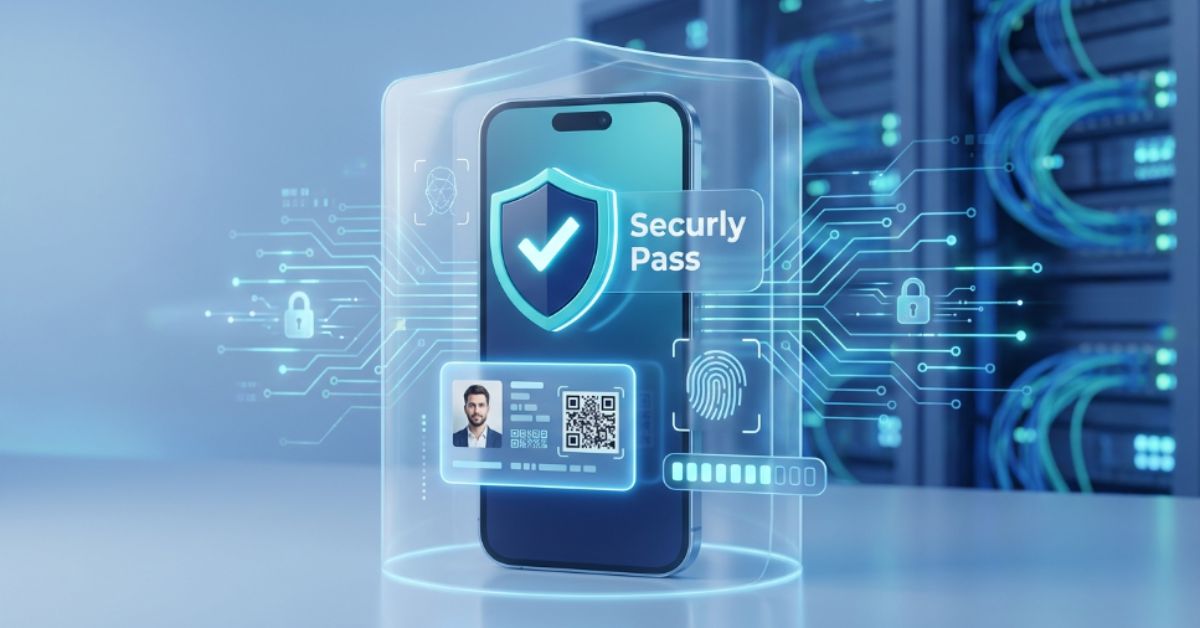
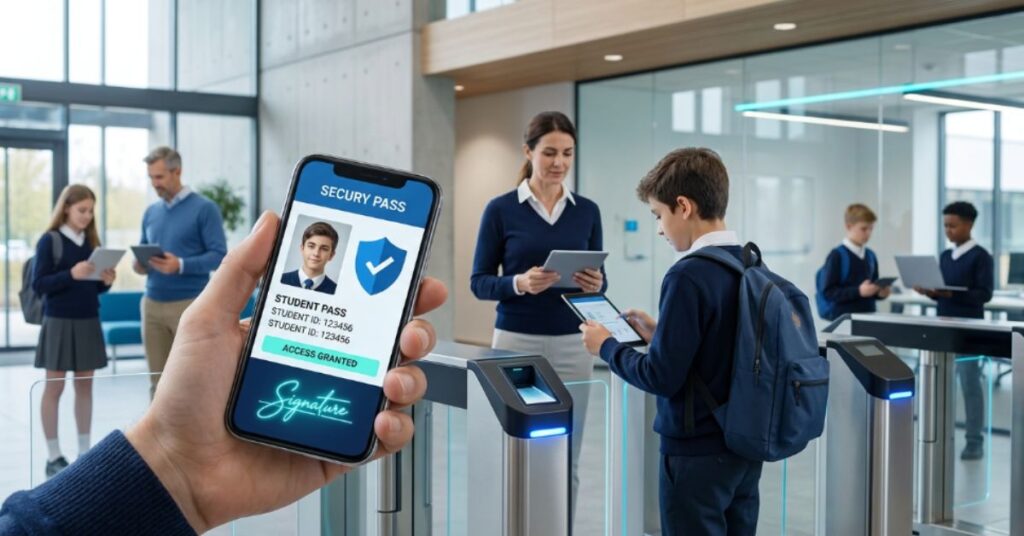
Securly Pass is a digital pass system built for daily school use. It replaces paper with a simple app. Students send a pass request from a phone, tablet, or kiosk. A teacher approves it fast. The system then tracks the trip from start to finish.
This tool fits into a bigger story. Schools everywhere want less paperwork and more safety. Securly Pass answers that need. It works as school hall pass software, a paper hall pass alternative, and a paperless hall pass tool all in one. It runs on phones, tablets, computers, and hallway kiosks, so almost any school can use it.
How Does Securly Pass Work?
The process feels short and easy. Most students learn it within a week. Each step below builds on the last one, from the first tap to the final timer.
Requesting a Digital Hall Pass
A student opens the app and picks a spot. Common choices include the restroom, the nurse, the library, or the counselor. The digital pass request goes out right away. No hands go up. No class time gets lost on a verbal ask.
This quiet process keeps lessons moving. Teachers do not have to pause a lecture to hand out a slip. The request sits on the teacher’s screen instead, waiting for a quick decision.
Teacher Approval Process
Teacher approval takes one tap. The teacher sees the request, checks the destination, and taps yes or no. If a student has no device, staff can still create a pass by hand. This backup option keeps the system fair for every student, even on device-free days.
Approval speed matters a lot in a busy classroom. A slow process would defeat the whole point. Securly Pass keeps this step short, so the flow of the lesson barely changes at all.
Real-Time Student Movement Tracking
Once a pass turns active, a pass timer starts. Staff can watch a real-time dashboard and see every active pass in the building. This gives campus safety teams instant facts, not guesses. If a student stays out too long, an alert fires.
This kind of real-time hall pass tracking helps during normal days and during emergencies. A quick headcount becomes possible in seconds. That speed can matter a great deal during a lockdown or drill.
Automatic Pass Expiration
Every pass carries a time limit. Once that limit ends, automatic pass expiration kicks in. The system closes the pass on its own. This stops long, unplanned trips through the hallways and keeps the school day on track.
This feature also protects staff time. Nobody has to remember to end a pass by hand. The software handles it, every single time, without fail.
Key Features of Securly Pass
Securly Pass packs many tools into one platform. Each feature solves a real problem that schools face daily. Together, they turn a messy paper habit into a clean, trackable process.
The list below breaks down each major tool. Some focus on rules and limits. Others focus on data, visitors, or software connections. All of them support one shared goal: better student movement management.
Student and Location Pass Limits
Schools can set pass limits for each student. A student might get three passes a day, for example. Schools can also set location limits, so only a few students visit one restroom at once. This stops crowding and keeps hallway management simple.
| Limit Type | Purpose |
| Daily student limit | Stops overuse of passes |
| Grade-level limit | Matches rules to student age |
| Location cap | Reduces crowding at one spot |
| Time-based limit | Restricts passes during key periods |
Live Hall Pass Dashboard
The real-time dashboard shows the whole school at a glance. Staff see every active pass, its destination, and its timer. This view helps during a normal Tuesday and during a real emergency, since staff never have to guess where students stand.
Admins often check this dashboard between classes. It shows hot spots fast, like a hallway that gets too busy right after lunch. That kind of fact-based view beats old-style guessing every time.
Appointment and Scheduled Passes
Not every trip happens on the spot. Appointment passes let staff book a counselor visit or a testing session ahead of time. This avoids last-minute mix-ups and keeps school policies around scheduling clear for everyone involved.
A counselor might see five students a day through set blocks. Scheduled passes make that plan easy to follow. Staff members know exactly who is coming and when, with no guesswork.
Pass Kiosk and Auto Pass
A pass kiosk helps students who do not carry a personal device. They tap a screen near the classroom door instead. Auto pass settings also exist for low-risk, frequent trips, which cuts down on wait time for common requests.
Many elementary schools rely on kiosks the most. Young students often share devices or have none at all. A kiosk keeps the process fair and steady across every classroom.
Proxy Pass Management
Staff can create a proxy pass for a student who cannot request one. Maybe the student forgot a device. Maybe phones stay locked away that day. Either way, the pass still gets logged, tracked, and timed like any other one.
This backup matters more than people expect. Schools with strict phone rules still need a way to track movement. Proxy passes fill that exact gap without breaking the system’s rules.
Custom Reports and Analytics
Custom reports and school analytics turn daily passes into useful facts. Leaders can check which students leave class the most. They can spot busy hours across the building. This kind of student movement data guides smarter choices about staffing and rules.
A sudden spike in one student’s pass count can point to a bigger issue. A counselor might want to follow up. Data like this often surfaces problems long before they grow serious.
Visitor Check-In and Management
Visitor check-in turns a paper sign-in sheet into a smart log. Guests, parents, and contractors check in at a kiosk or through a mobile screen. Visitor management tools can flag anyone who should not enter, adding a real layer of school security technology at the front door.
Front office staff gain a clear picture of who sits inside the building at any moment. That fact alone makes a real difference during a fire drill or a safety check.
SIS Integration and Mobile Access
SIS integration links Securly Pass to the school’s main student database. Student names, grades, and schedules sync without manual typing. A dedicated mobile app also lets staff and students use every feature away from a desktop screen.
This link cuts down on typing mistakes. Office staff save time since data flows in from one trusted source. Fewer manual steps mean fewer errors across the whole school year.
See Also: Modcityusa.com Review 2026: Is It Legit, Safe & Worth Trusting
Benefits of Using Securly Pass in Schools
A shift to digital passes brings more than a tech upgrade. It changes daily routines for teachers, school administrators, and students alike. The next few sections cover the biggest wins schools report after making the switch.
Many of these benefits build on each other. Less disruption leads to more teaching time. Better data leads to smarter rules. Together, they support one goal: a safer, calmer school day.
Improved Campus Safety and Accountability
Campus safety improves fast once staff can see live movement data. Student accountability grows too, since every trip gets logged under a name and a time. Nobody can claim they were somewhere they were not, since the record speaks for itself.
During an actual emergency, this fact-based system shines. Staff can check the dashboard and know exactly who stands outside a classroom. That single fact can guide a much faster, safer emergency response.
More Instructional Time
Paper passes eat up small chunks of class time all day long. Writing one, signing one, tracking one down later, it all adds up. Digital passes cut that waste, giving back real instructional time across a full school year.
Even two saved minutes per class period matters over a hundred and eighty school days. Teachers often notice this benefit within the first few weeks of use.
Fewer Classroom Disruptions
Classroom disruptions drop once passes move to a screen. A student sends a quiet request instead of raising a hand. The lesson keeps flowing, and the rest of the class stays focused on the material instead of a hallway question.
This calm flow also helps students with attention challenges. A quieter room supports better focus for everyone, not just the student stepping out.
Better Student Movement Visibility
Student movement tracking gives staff a full, live picture of the building. Nobody has to guess who left or where they went. This clear view supports both daily order and long-term campus movement tracking across the whole school.
A principal walking the halls can check the app instead of asking every teacher one by one. That single habit saves real time across a busy school day.
Easier Appointment Scheduling
Counselors, nurses, and support staff often juggle a packed schedule. Appointment passes keep that schedule clear and easy to follow. Nobody double-books a slot, and students know exactly when their turn comes.
This structure also helps parents plan around school visits. A clear schedule builds trust between families and the front office.
Useful Data for School Leaders
School data collected from every pass builds a long-term picture. Leaders can review reporting tools to spot patterns across weeks or months. This supports smarter choices about hallway management, staffing, and building layout.
One district found that hallway congestion peaked right after lunch, every single day. That single fact led to a staggered lunch schedule, which solved the problem fast.
Securly Pass vs Traditional Paper Hall Passes
A side-by-side look makes the difference clear. Paper systems rely on memory and handwriting. Securly Pass relies on facts, timers, and live data. The table below breaks down the biggest gaps between the two approaches.
| Category | Paper Hall Pass | Securly Pass |
| Tracking | Manual, easy to forget | Automatic and live |
| Fraud risk | Slips can be forged | Digital record, hard to fake |
| Speed | Slows down the lesson | Takes a few seconds |
| Data | No usable record | Full school analytics |
| Emergency response | Scattered across rooms | One shared dashboard |
| Consistency | Differs by teacher | Same rules schoolwide |
This table shows why so many schools now favor a digital school management approach over the old paper method. The shift saves time, builds trust, and adds a real safety layer that paper never offered.
See Also: Robthecoins Blockchain 2026: Powerful Features & Benefits
Pros and Cons of Securly Pass
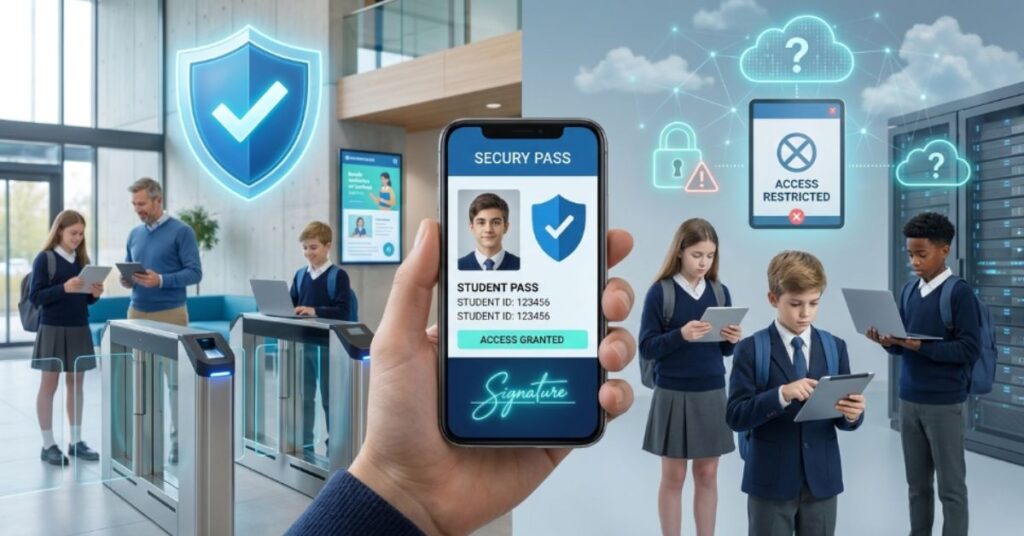
No single tool fits every school perfectly. A fair review means looking at both strong points and real limits. The next two sections lay out both sides in plain terms.
Weighing these points ahead of time helps a school plan a smoother rollout. Most schools find the strengths outweigh the drawbacks, especially in busy, high-traffic buildings.
Pros of Securly Pass
Securly Pass brings live tracking, less classroom noise, and strong school safety software into one package. It supports student activity monitoring without adding staff workload. Setup stays simple, and most students adjust within days rather than weeks. A quote from one middle school assistant principal sums it up well: “We used to lose track of kids for ten minutes at a time. Now we know in seconds.”
Potential Drawbacks
A stable internet connection matters a lot, since the system depends on it. Some students need a short adjustment period before the habit sticks. Small schools with tight budgets may need to plan ahead for setup costs. Staff turnover also means new hires need fresh training on the approval process.
Is Securly Pass Safe for Student Privacy?
Student privacy sits high on every parent’s list of concerns, and that concern makes sense. Securly Pass tracks movement only inside the school building, only during school hours. It does not follow a student home or track weekend activity in any way.
Privacy policies and data access rules usually limit who can view pass records. Most districts keep this data limited to staff who need it for safety reasons. Data storage rules also set clear limits on how long records stay on file. Parents should still ask their own school about specific settings, since school technology policies can shift from one district to the next.
How to Get Started With Securly Pass
Getting started follows a clear path for most schools. The steps below walk through the full setup process from first contact to full use across a building.
A steady pace matters more than speed here. Schools that rush setup often face more pushback later. A calm, staged rollout tends to work far better in the long run.
Setting Up School Rules and Pass Limits
A school first decides its own rules. This means setting pass limits, choosing time windows, and picking which locations need a cap. Younger grades often get shorter time limits, while older students may get a bit more freedom.
Getting this step right early saves trouble later. Rules that feel fair from day one tend to face far less student pushback.
See Also: FundFireInsight.com Review: Features, Safety, Legitimacy & What to Know in 2026
Training Teachers and Staff
Teacher training covers the approval screen, the proxy pass option, and basic troubleshooting steps. A short session usually covers everything staff need. Most teachers feel comfortable within their very first week of daily use.
Simple, short training beats a long, dense session almost every time. A one-page guide often works better than a full manual.
Introducing Students to the System
Students need a short walkthrough too, often during homeroom or orientation. A five-minute demo covers the whole process from request to approval. Most students pick up the habit fast, since the app feels close to tools they already use every day.
A calm, clear introduction reduces early confusion. Schools that skip this step often see more mix-ups in the first week.
Tips for a Smooth Securly Pass Rollout
A rollout goes smoother with a few smart habits in place. Explain the reason for the change clearly to both students and parents before launch day. Give teachers a short, simple guide instead of a long manual. Start with basic pass types before adding stricter limits later. Ask staff for honest feedback after the first month. Keep a backup paper plan ready for rare tech outages, just in case.
Who Should Use a Securly Pass?
Middle and high schools with busy hallways see the biggest gains from this tool. These campuses handle more daily pass requests, so the time saved adds up fast. Elementary schools can use it too, though many pick shorter time limits and simpler rules that match younger students.
School districts looking for wide, cross-campus data also benefit a great deal. School reporting and analytics work across many buildings at once, which supports smarter district-wide policy choices. A school already struggling with hallway crowding, late passes, or lost paper records often sees the fastest results after the switch.
Common Challenges When Using Securly Pass
Even a strong tool brings a few early bumps. Some teachers resist changing a habit they have used for years. Older school buildings sometimes carry weak Wi-Fi in far hallways, which slows down the app. A handful of students test the new limits early on, just to see what happens. Front office staff often need extra time to master the visitor management side of the platform. Substitute teachers may need a quick guide before their very first shift.
Most of these bumps fade within the first month. Schools that plan ahead and train early tend to face the smoothest path forward.
Frequently Asked Questions
Does Securly Pass Track Students Outside of School?
No. Securly Pass tracks movement only inside the school building. It does not follow a student once the school day ends or once they leave campus grounds.
Can Parents See Their Child’s Hall Pass Activity?
This depends on each school’s own setup. Some schools share limited pass data with parents. Others keep this data limited to staff use only.
Do Students Need Their Own Device to Use Securly Pass?
No. A student without a device can still get a pass through a pass kiosk or through a proxy pass created by staff.
Is Securly Pass Only for Hall Passes?
No. The platform also covers visitor check-in, tardy tracking, and early dismissal records, making it a full student movement management tool.
Is Securly Pass Difficult for Teachers to Learn?
No. Most teachers learn the basic approval process within minutes. The app stays simple by design, built for fast daily use.
Conclusion
Securly Pass has changed a small daily task into a smart, trackable process. What used to mean lost slips and forged notes now means clear data and instant facts. From real-time hall pass tracking to full visitor management, this tool gives schools power that paper never offered.
Schools thinking about better campus safety and calmer hallways should give this platform a serious look. It builds real structure around student movement, saves time for busy staff, and supports a safer, more organized school day. With steady planning and a bit of patience during the first weeks, most schools find the switch pays off fast.

Ryan Mitchell is a writer and language enthusiast at MeaningZen. He creates simple guides on slang, word meanings, grammar, and modern internet language. His goal is to make confusing words and phrases easy to understand.